
CPU [08/07/2025]ASRock DeskMini X600 BIOS "4.06" & "4.08" & "4.10" & "4.12" - with AMD AGESA ComboAM5Pi v1.2.0.3e Patch.A & DDR5 SO-DIMM Voltage Settings
- Thread starter HydrAxx747
- Start date
You are using an out of date browser. It may not display this or other websites correctly.
You should upgrade or use an alternative browser.
You should upgrade or use an alternative browser.
@matti @BigMax @bgravato
Hoping you all could guide me - I've searched far and wide and stumbled upon this thread. I just built my first pc in 12 years (!) and choose the deskmini x600 (usb4), full specs below. I set my RAM to 6000mhz in the BIOS and have had the system crash (green screen) multiple times. Maybe I didn't do it right? I am not very savvy when it comes to overclocking and tweaking things in the BIOS so advanced apologies for my ignorance. I returned to 4800 and then have most recently tried 5600.
BIOS pics -
My bios version (1.20) is slightly different than you all, but I am wondering do I have a driver issue, a RAM config/setting issue, or is my machine just not meant to run 6000mhz ram? I noticed on the Memory QVL (Asrock site) that Kingston memory was not included at all. I didn't realize when I purchased the machine that the original x600 had a different Memory QVL than the USB4 model. Perhaps that has something to do with it?
Also a couple other questions?
Specs
Deskmini x600 USB4 version
Ryzen 7 8700g
Kingston Fury 2x16 6000-mhz ddr5 sodimm
WD sn850x 1 TB
Thermalright AXP90-47mm Black (fan removed), with Noctua L9a-14PWN fan
Intel AX210
original post on reddit:
Hoping you all could guide me - I've searched far and wide and stumbled upon this thread. I just built my first pc in 12 years (!) and choose the deskmini x600 (usb4), full specs below. I set my RAM to 6000mhz in the BIOS and have had the system crash (green screen) multiple times. Maybe I didn't do it right? I am not very savvy when it comes to overclocking and tweaking things in the BIOS so advanced apologies for my ignorance. I returned to 4800 and then have most recently tried 5600.
BIOS pics -
My bios version (1.20) is slightly different than you all, but I am wondering do I have a driver issue, a RAM config/setting issue, or is my machine just not meant to run 6000mhz ram? I noticed on the Memory QVL (Asrock site) that Kingston memory was not included at all. I didn't realize when I purchased the machine that the original x600 had a different Memory QVL than the USB4 model. Perhaps that has something to do with it?
Also a couple other questions?
- Fan orientation - I saw a post somewhere but couldn't find it again where folks were talking about very specific fan placement for the small case. Perhaps I could shed a few more degrees if I set it up wrong? I thought the fan/cooler combo was going to get me 1-2mm clearance but it actually was a tight fit.
- Loose antenna connectors on case - any tips for getting these buggers to stay tight? the darn things keep coming loose
Specs
Deskmini x600 USB4 version
Ryzen 7 8700g
Kingston Fury 2x16 6000-mhz ddr5 sodimm
WD sn850x 1 TB
Thermalright AXP90-47mm Black (fan removed), with Noctua L9a-14PWN fan
Intel AX210
original post on reddit:
Hi! strange thing, i do not get any kind of notification on new posts here via email, so apologies for long reply.Perhaps that has something to do with it?
Your ram should go @6000 easily, more to the point, you can see this thread for configs @7000+ for these sticks. I have same sticks but marked @6400 and they have same chips on board, so my approach may work for you.
Try to set the VDD_SOC to something like 1.2 and test your RAM @6000 picking up the profile (fist pick profile, then set VDD_SOC). Before doing that, reset bios to defaults. You can see my tests here btw, where i played with around same settings. Why this? Is because in my case, VDD_SOC auto was setting it to 1.3 that is way too much i believe, and cased excessive temperature hike, while i now sit at around 1.0 and it is fully stable and cool.
If still unstable - try another clean install, latest drivers and latest updates of Windows (I use Windows 11 24h2 LTSC IoT), you can use VHD installation (google for winntsetup) to keep your current system just in case this is a wrong road, and different BIOS versions, however i am not sure is there are many of them at ASRock web site.
Post results here, will be happy to help where i can. Btw, can you also post your crash screen please, you said i's green, but it should normally by blue
 Just make photo on your smartphone.
As for your questions:
- Fan orientation. Same here, i posted some tests in this thread where i played with it, just browse for my posts or make test yourself, this is even more informative. Your ram has temp sensor so you will see whole picture.
- Loose antenna connectors on case. Just add any kind of grover washer or spring washer and tighten it, never had problems with that. Normally SMA connectors and pigrais come with them so it normally looks like install and forget If you still fail it - just post some pics, this will help to give appropriate advise.
Last edited:
Hello, everyone!...
The configuration is very similar to that of many of you:
ASRock DeskMini X600
AMD Ryzen™ 7 8700G
Thermalright AXP-90 X47 Full Cooper with Noctua fan
Kingston Fury Impact XMP 32GB 6400M KF564S38IBK-16 x 2
SSD KINGSTON 1Tb SKC3000S1024G
....
I haven't had much time to test my build in recent weeks: my configuration is shown above, and I've currently upgraded to BIOS version 4.12.
I set the RAM to the XMP profile at 5600 and the system is fairly stable. I think the temperatures are a little higher than normal: when idle, I have temperatures around 36°/38°, which quickly rise to 40° and above even when just browsing the web or writing a document.
However, I haven't had any more freezes and I haven't changed any other settings at the moment.
However, I have a really annoying problem and I'm wondering if any of you have had the same issues.
I currently have Windows 11 Pro 24H2 installed and I downloaded the latest drivers available on the AMD website (my graphics drivers are Adrenaline 25.9.1).
Almost every day, at least once, the screen freezes for a few seconds, then goes black for a brief moment (sometimes white first, then black) and then resumes normal operation. In this case, the AMD software reports the following error: “AMD software has detected that a driver timeout has occurred on your system”.
Online, it is suggested to use DDU (Display Driver Uninstaller) software in safe mode, remove the drivers and reinstall them. Unfortunately, this did not work for me.
I really don't know how to fix this, so I'm asking here.
- Has this happened to anyone else?
- Could it be due to the RAM settings? (I don't think so, but I'm asking anyway)
- Could it be due to the version of the graphics drivers used? Are you using the ones on the Asrock website from November 2024?
Do you have any advice on how to solve the problem?
I experienced something similar on a laptop with AMD dGPU where I had overclocked the GPU's RAM a little too high.Hello, everyone!
I haven't had much time to test my build in recent weeks: my configuration is shown above, and I've currently upgraded to BIOS version 4.12.
I set the RAM to the XMP profile at 5600 and the system is fairly stable. I think the temperatures are a little higher than normal: when idle, I have temperatures around 36°/38°, which quickly rise to 40° and above even when just browsing the web or writing a document.
However, I haven't had any more freezes and I haven't changed any other settings at the moment.
However, I have a really annoying problem and I'm wondering if any of you have had the same issues.
I currently have Windows 11 Pro 24H2 installed and I downloaded the latest drivers available on the AMD website (my graphics drivers are Adrenaline 25.9.1).
Almost every day, at least once, the screen freezes for a few seconds, then goes black for a brief moment (sometimes white first, then black) and then resumes normal operation. In this case, the AMD software reports the following error: “AMD software has detected that a driver timeout has occurred on your system”.
Online, it is suggested to use DDU (Display Driver Uninstaller) software in safe mode, remove the drivers and reinstall them. Unfortunately, this did not work for me.
I really don't know how to fix this, so I'm asking here.
- Has this happened to anyone else?
- Could it be due to the RAM settings? (I don't think so, but I'm asking anyway)
- Could it be due to the version of the graphics drivers used? Are you using the ones on the Asrock website from November 2024?
Do you have any advice on how to solve the problem?
In your case, you have an iGPU using system RAM, but I still think it could be the same kind of problem.
I would definitely try clocking the RAM a little lower.
Those idle temperatures don't seem problematic by the way.
Hi! I would also suggest and fine tune your system a little. In BIOS set VDD_SOC as low as possible, thenk play with PBO and TDP limit. I keep mine with 65w and per core curve optimizer as i wrote few posts back and its stable. Before that i used to have some strange black screens but after tuning and drivers updates i see it's getting better. BTW i sill keep the 4.03MEM biosblack for a brief moment (sometimes white first, then black) and then resumes normal
Make one change at a time and test with OCCT combined stress test (CPU+GPU+RAM+VRAM) be careful and lootk into the temps to stop the test as it heats up the CPU really well. While playing with that i used short 5-10 minutes tests to find the stability limits and then 1 hour to check my settings.
Hi,
I have a DeskMini X600 with an 8700G installed in a 3D-printed Lander 55 case, and I’m using an RX 7900 XTX GPU connected via Oculink.
In some games, the CPU is bottlenecking the GPU, so I’d like to upgrade.
I’m undecided between the 9700X, 9800X3D, and 9900 (I’m not sure if it’s supported).
Do you have any advice on what to do?
Is there any particular reason to update to the latest BIOS 4.12?
I have a DeskMini X600 with an 8700G installed in a 3D-printed Lander 55 case, and I’m using an RX 7900 XTX GPU connected via Oculink.
In some games, the CPU is bottlenecking the GPU, so I’d like to upgrade.
I’m undecided between the 9700X, 9800X3D, and 9900 (I’m not sure if it’s supported).
Do you have any advice on what to do?
Is there any particular reason to update to the latest BIOS 4.12?
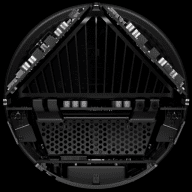
AsRock says: Supports AMD Socket AM5 Ryzen™ 9000/8000/7000 Series Processors, up to 65WI’m undecided between the 9700X, 9800X3D, and 9900 (I’m not sure if it’s supported).

ASRock DeskMini X600 Series
Supports AMD Socket AM5 Ryzen™ 9000/8000/7000 Series Processors, up to 65W<br />Dual DDR5 6400+(OC)MHz memory, Max. 96GB<br />Supports MAX Height ≦ 47mm AMD CPU Cooler<br />Multi Video Outputs:HDMI, DisplayPort, D-Sub<br />2.5G LAN<br />1 x Blazing M.2 (PCIe Gen5 x4) Slot<br />1 x Hyper M.2...
Hi guys, I ended up getting the 9700X and a Noctua NH-U12S cooler — the performance compared to the 8700G is noticeably better. I installed BIOS version 4.12 and unlocked full power: PBO -30 +200MHz, memclk 3200, fclk 2200, uclk 3200 — obviously 6400MT. The CPU boosts all cores up to 5800MHz.
Game performance has improved significantly, and I’m scoring 23,000 on Cinebench R23.
I’m really happy with the results! I wanted to ask you — would it be more efficient to run the RAM at 8000-2000-2000? Would I gain any benefit from that? Also, is Vsoc at 1.27V safe?
Game performance has improved significantly, and I’m scoring 23,000 on Cinebench R23.
I’m really happy with the results! I wanted to ask you — would it be more efficient to run the RAM at 8000-2000-2000? Would I gain any benefit from that? Also, is Vsoc at 1.27V safe?
New bios. This time changes are: Update AGESA to ComboAM5 1.2.0.3g.

 www.asrock.com
ASRock DeskMini X600 Series
Supports AMD Socket AM5 Ryzen™ 9000/8000/7000 Series Processors, up to 65W<br />Dual DDR5 6400+(OC)MHz memory, Max. 96GB<br />Supports MAX Height ≦ 47mm AMD CPU Cooler<br />Multi Video Outputs:HDMI, DisplayPort, D-Sub<br />2.5G LAN<br />1 x Blazing M.2 (PCIe Gen5 x4) Slot<br />1 x Hyper M.2...
Hi guys, I ended up getting the 9700X and a Noctua NH-U12S cooler — the performance compared to the 8700G is noticeably better. I installed BIOS version 4.12 and unlocked full power: PBO -30 +200MHz, memclk 3200, fclk 2200, uclk 3200 — obviously 6400MT. The CPU boosts all cores up to 5800MHz.
Game performance has improved significantly, and I’m scoring 23,000 on Cinebench R23.
I’m really happy with the results! I wanted to ask you — would it be more efficient to run the RAM at 8000-2000-2000? Would I gain any benefit from that? Also, is Vsoc at 1.27V safe?



OMG thats sick. Well done
Can you share which Oculink card you are using?
Did you use an short oculink internal cable to add the rear port (is that what that is)?
MOD Break: Please keep all discussion in the English language, we are an English-only forum. Translated text and generalized link.
I use a 7900xtx and it works very well
OMG thats sick. Well done
Can you share which Oculink card you are using?
Did you use an short oculink internal cable to add the rear port (is that what that is)?
I use a 7900xtx and it works very well
Last edited by a moderator:
Similar threads

- Replies
- 300
- Views
- 130K
- Replies
- 7
- Views
- 9K

- Replies
- 1
- Views
- 1K

- Replies
- 281
- Views
- 131K

- Replies
- 8
- Views
- 7K