...
The configuration is very similar to that of many of you:
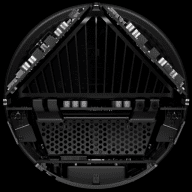
ASRock DeskMini X600
AMD Ryzen™ 7 8700G
Thermalright AXP-90 X47 Full Cooper with Noctua fan
Kingston Fury Impact XMP 32GB 6400M KF564S38IBK-16 x 2
SSD KINGSTON 1Tb SKC3000S1024G
....
Hello, everyone!
I haven't had much time to test my build in recent weeks: my configuration is shown above, and I've currently upgraded to BIOS version 4.12.
I set the RAM to the XMP profile at 5600 and the system is fairly stable. I think the temperatures are a little higher than normal: when idle, I have temperatures around 36°/38°, which quickly rise to 40° and above even when just browsing the web or writing a document.
However, I haven't had any more freezes and I haven't changed any other settings at the moment.
However, I have a really annoying problem and I'm wondering if any of you have had the same issues.
I currently have Windows 11 Pro 24H2 installed and I downloaded the latest drivers available on the AMD website (my graphics drivers are Adrenaline 25.9.1).
Almost every day, at least once, the screen freezes for a few seconds, then goes black for a brief moment (sometimes white first, then black) and then resumes normal operation. In this case, the AMD software reports the following error: “AMD software has detected that a driver timeout has occurred on your system”.
Online, it is suggested to use DDU (Display Driver Uninstaller) software in safe mode, remove the drivers and reinstall them. Unfortunately, this did not work for me.
I really don't know how to fix this, so I'm asking here.
- Has this happened to anyone else?
- Could it be due to the RAM settings? (I don't think so, but I'm asking anyway)
- Could it be due to the version of the graphics drivers used? Are you using the ones on the Asrock website from November 2024?
Do you have any advice on how to solve the problem?