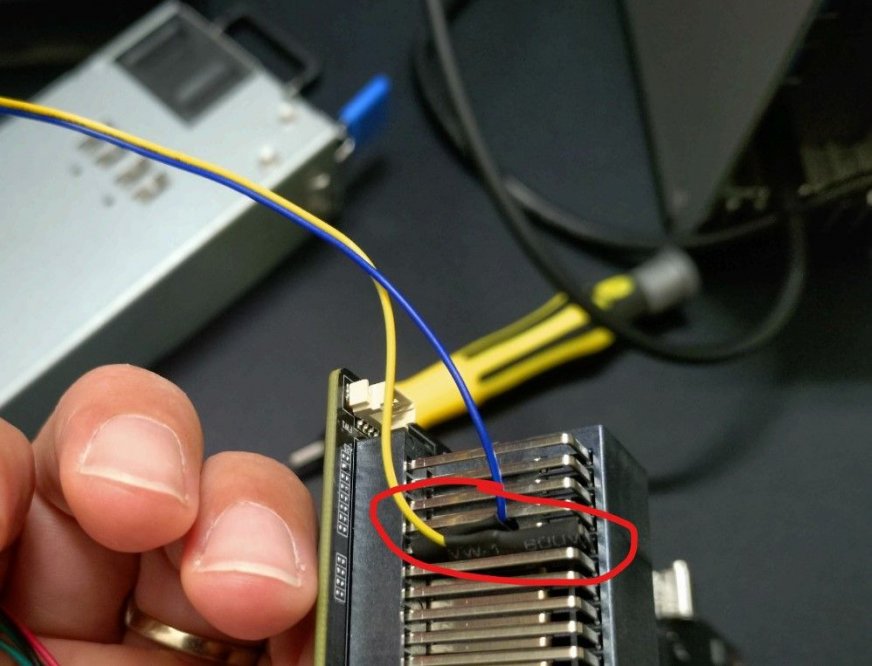
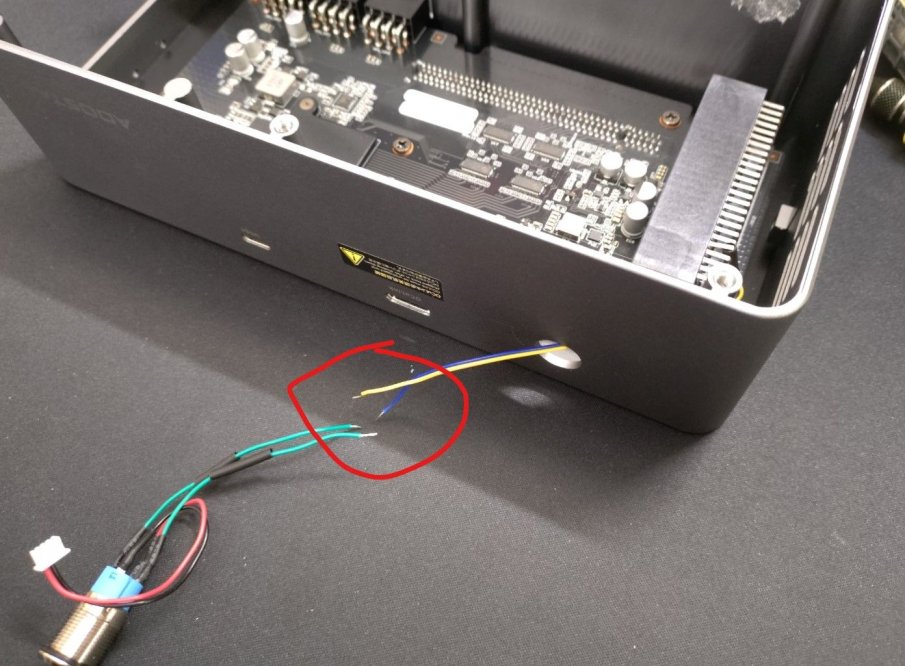
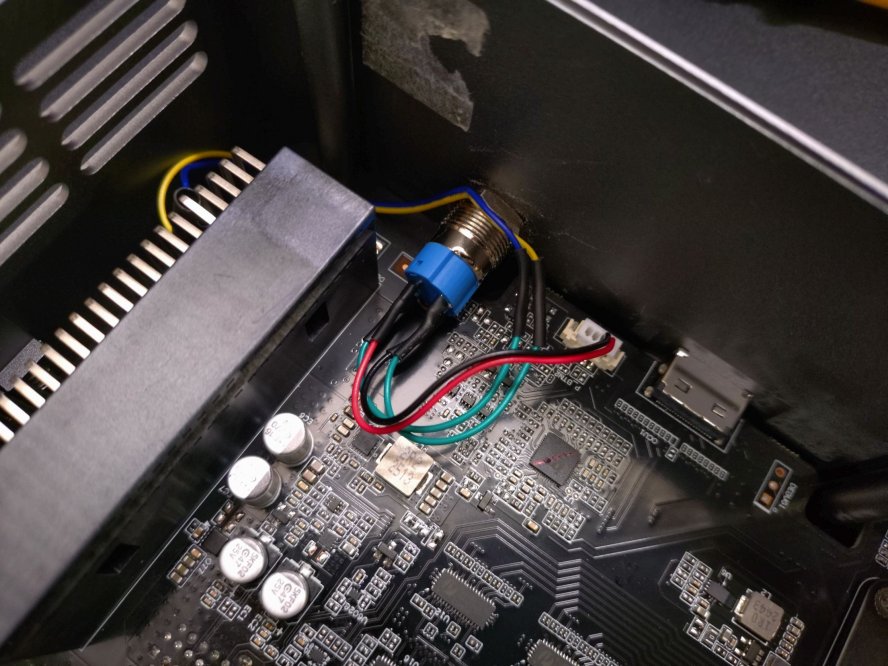
I recently got an AOOSTAR AG02 eGPU Dock for testing and I thought I'd share my experience with the unit for the community...
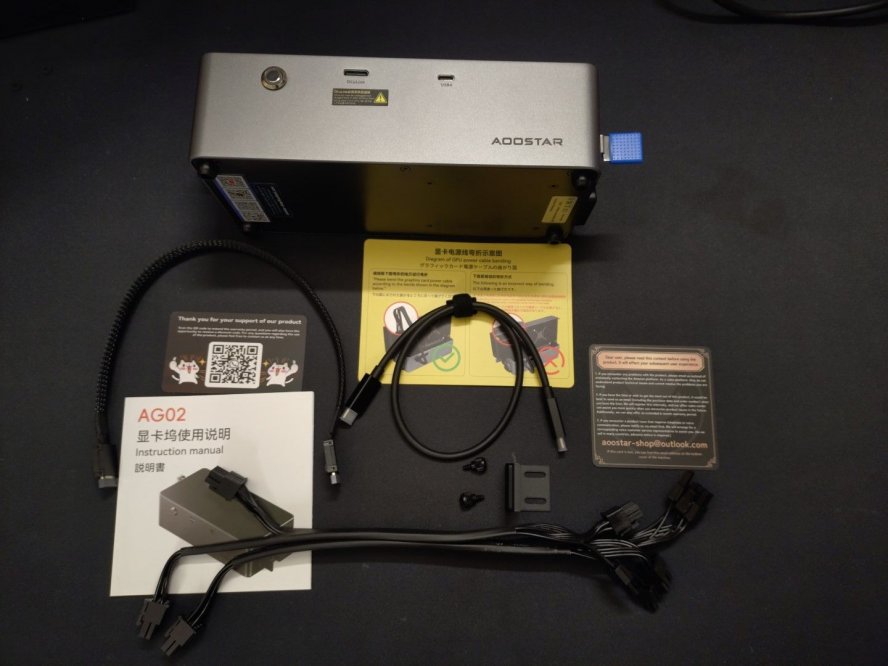
The eGPU comes with everything needed, but here's the first issue: their WhatsApp account for contacting support seems to be disabled. If you have issues with your unit, you need to join their Discord or send them an eMail. Besides, the included USB4.0 / Oculink cables are very short (350mm only).
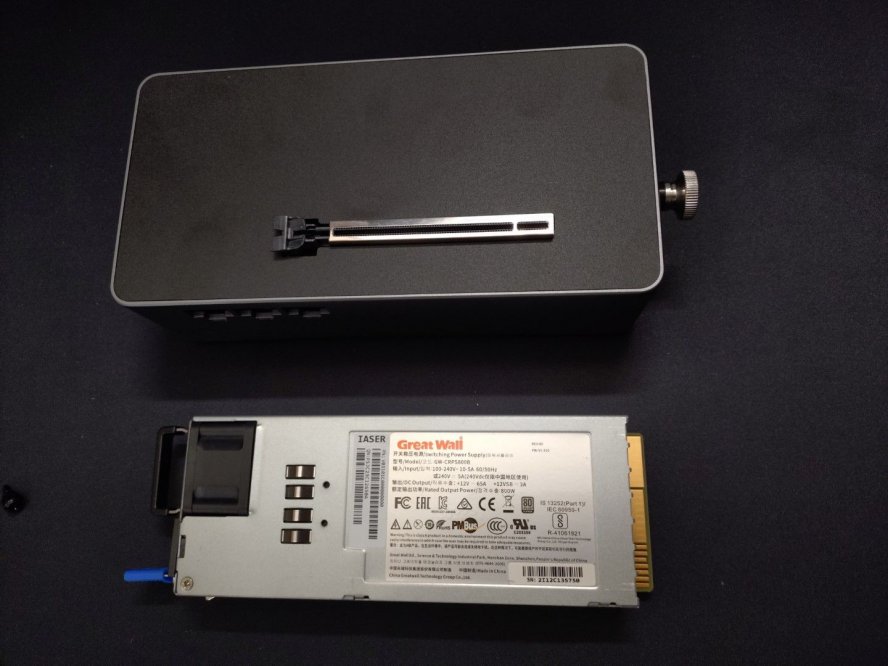
Overall build quality is good, they use a solid aluminium case with coated steel covers. The PSU is a GREAT WALL server grade 12V 800W unit, platinum rated for good efficiency. It's also easily swappable, which is a nice feature.
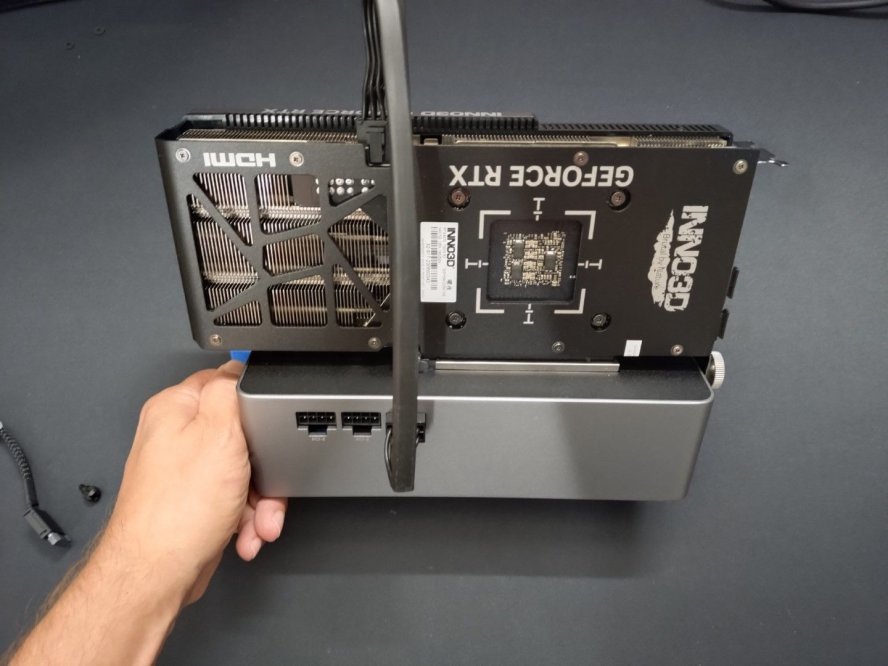
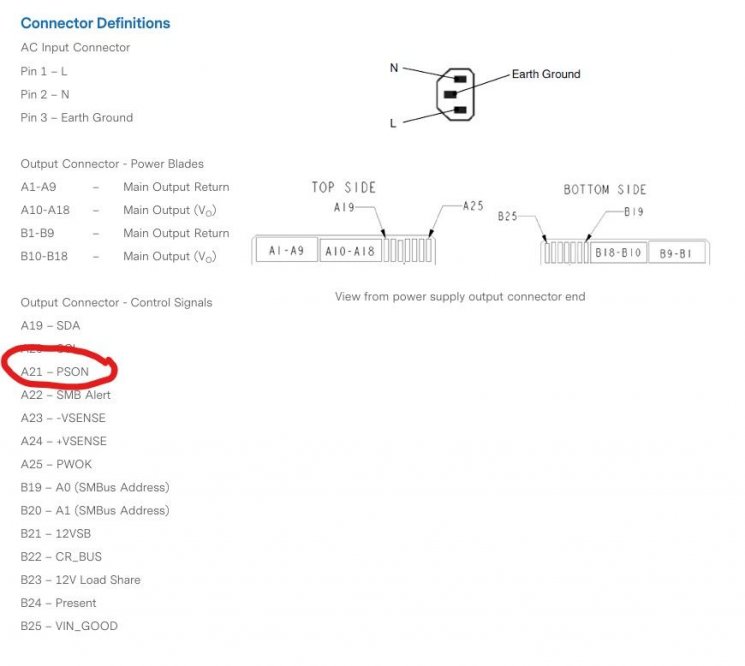
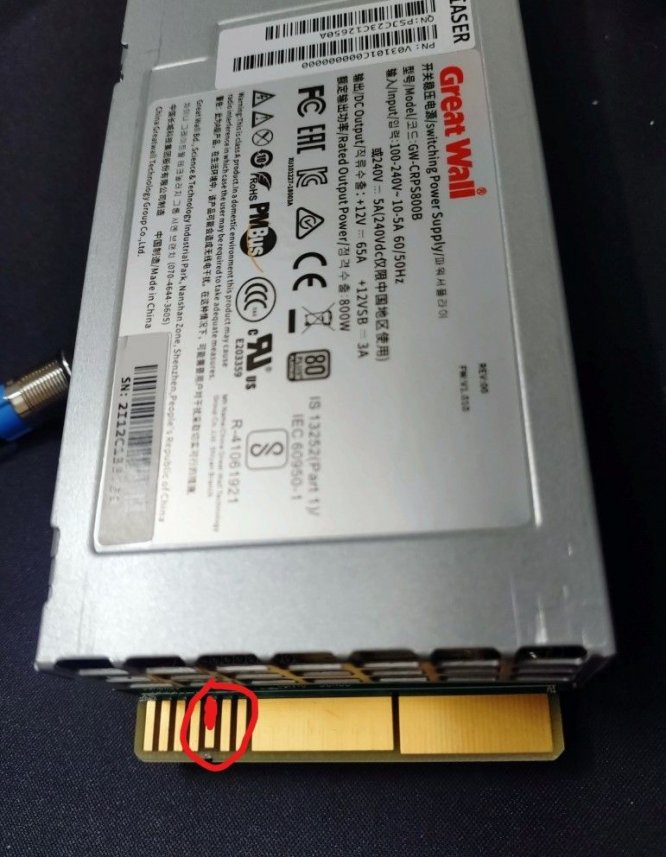
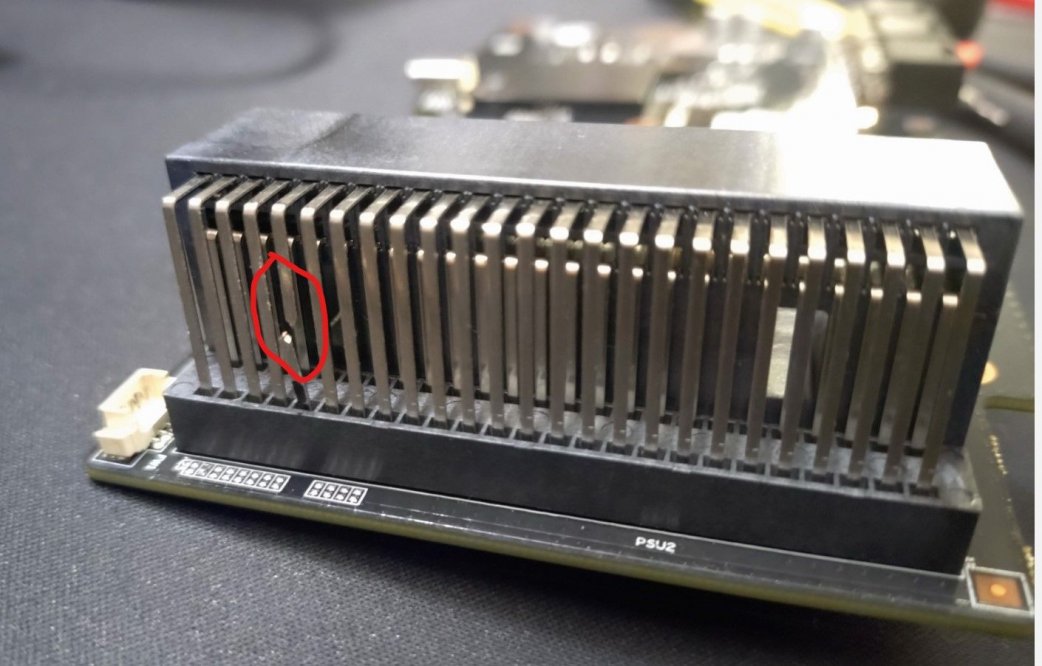
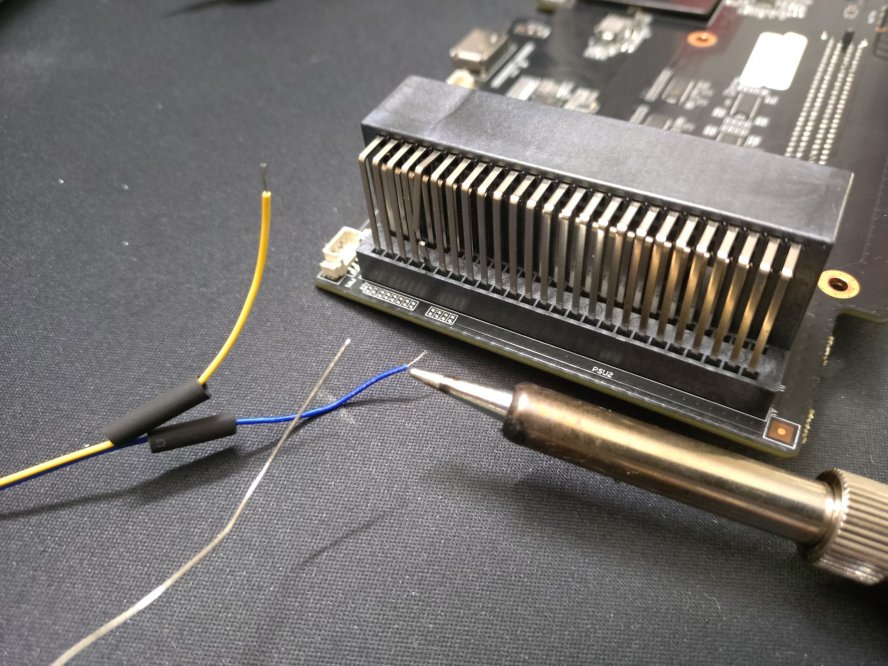
Installing the GPU is easy but for those not reading instruction: here's already a potential risk, frying your hardware! As soon as you plug in the mains, the PSU turns on and the dock is powered. The power button of the AG02 has no any function, the PSU is always ON and there are always 12V on the PCIe power connectors! In other words: only plug in the mains, after everything is set up and connected.
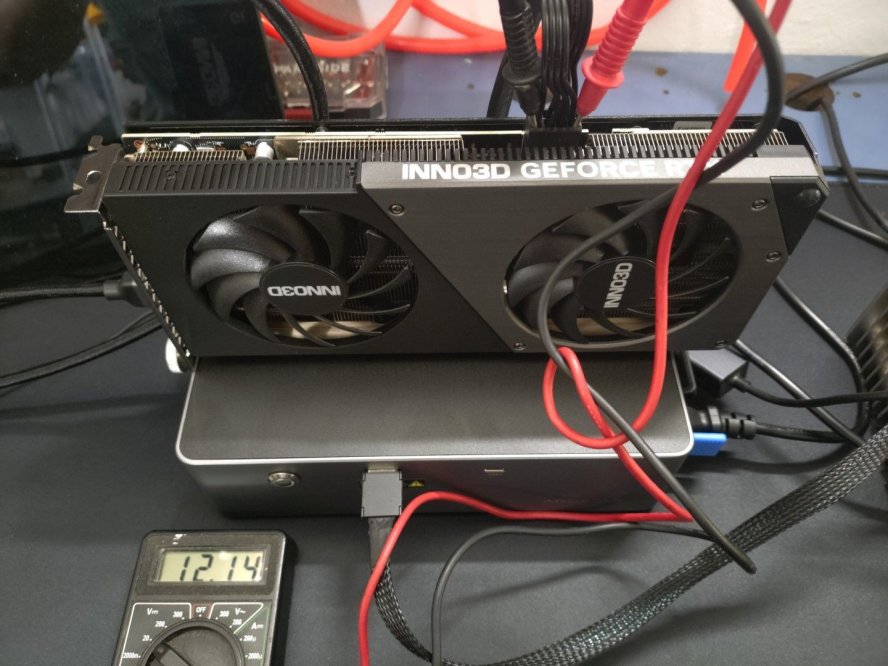
Here we can see: the power button of the AG02 is OFF but the internal PSU is running and supplying 12V to the GPU - what's also annoying: the PSU fan is always running, even if the dock is not in use. It's not loud but clearly audible.
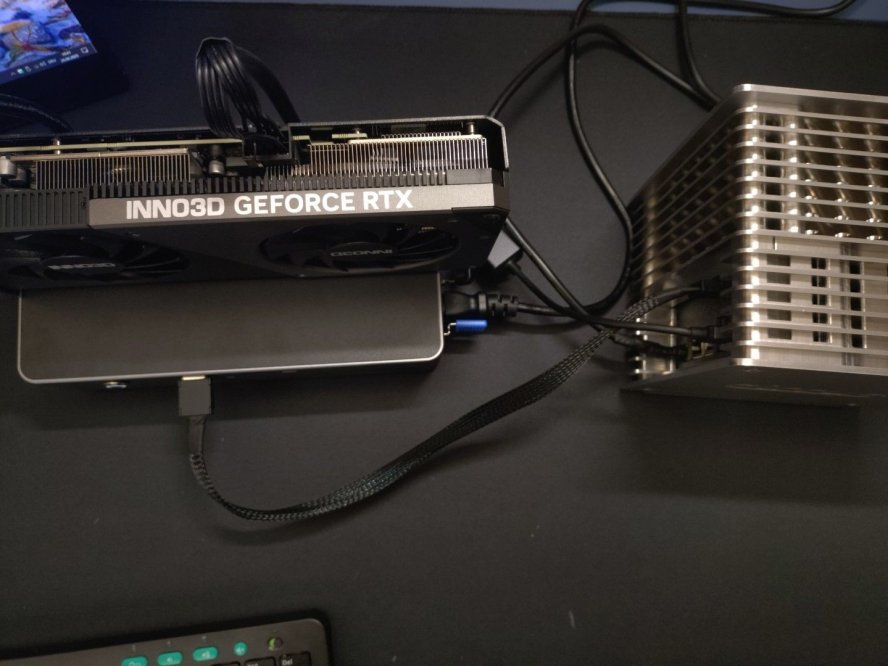
Like I said, the cables that come with the dock, are only 35cm long - I whish they had included at least 80cm cables ...
Performance wise, I have nothing to complain - here are some benchmarks:
Aoostar GEM10 7840HS via USB4 / External Monitor:
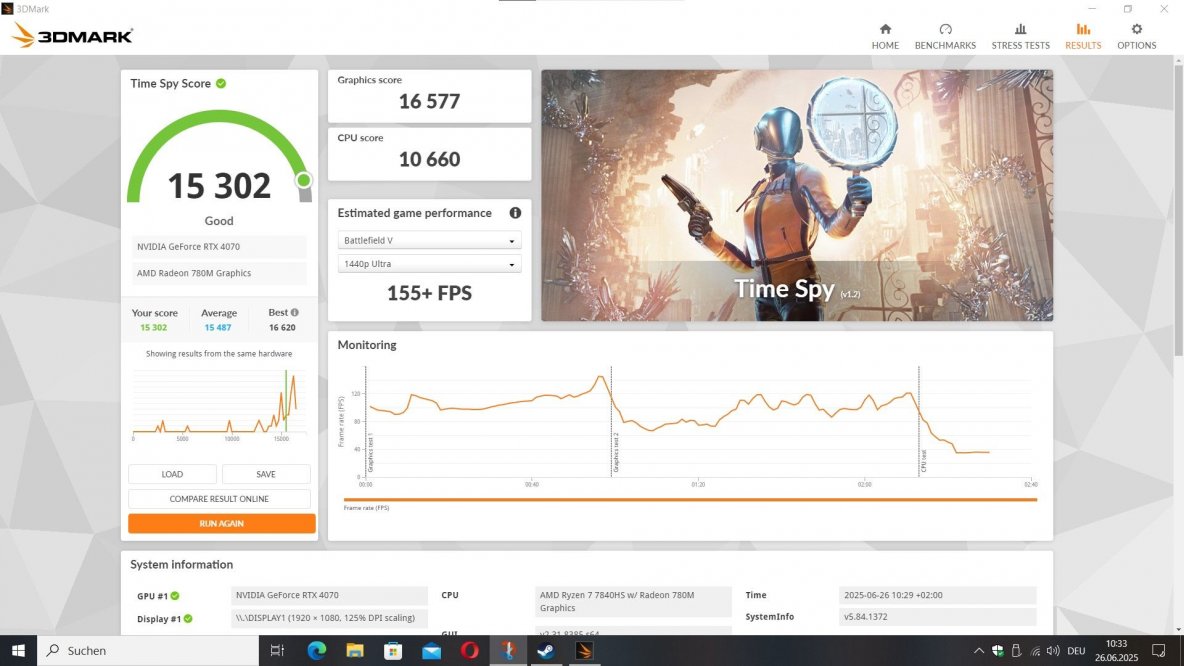
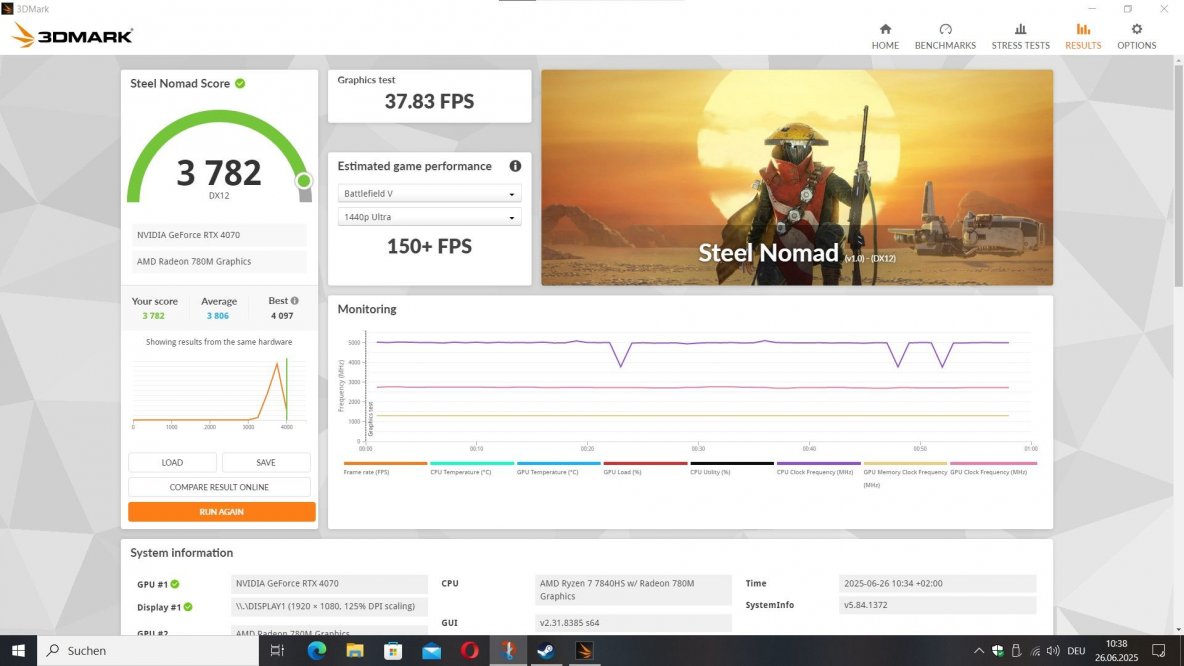
Aoostar GEM10 7840HS via Oculink / External Monitor:
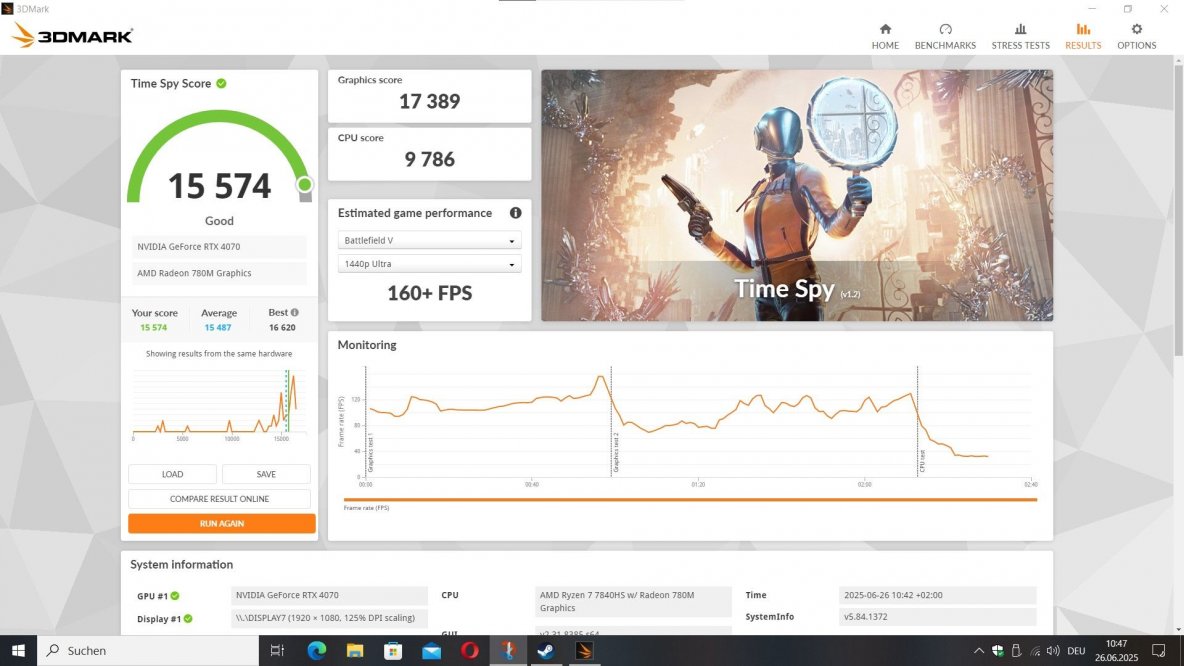
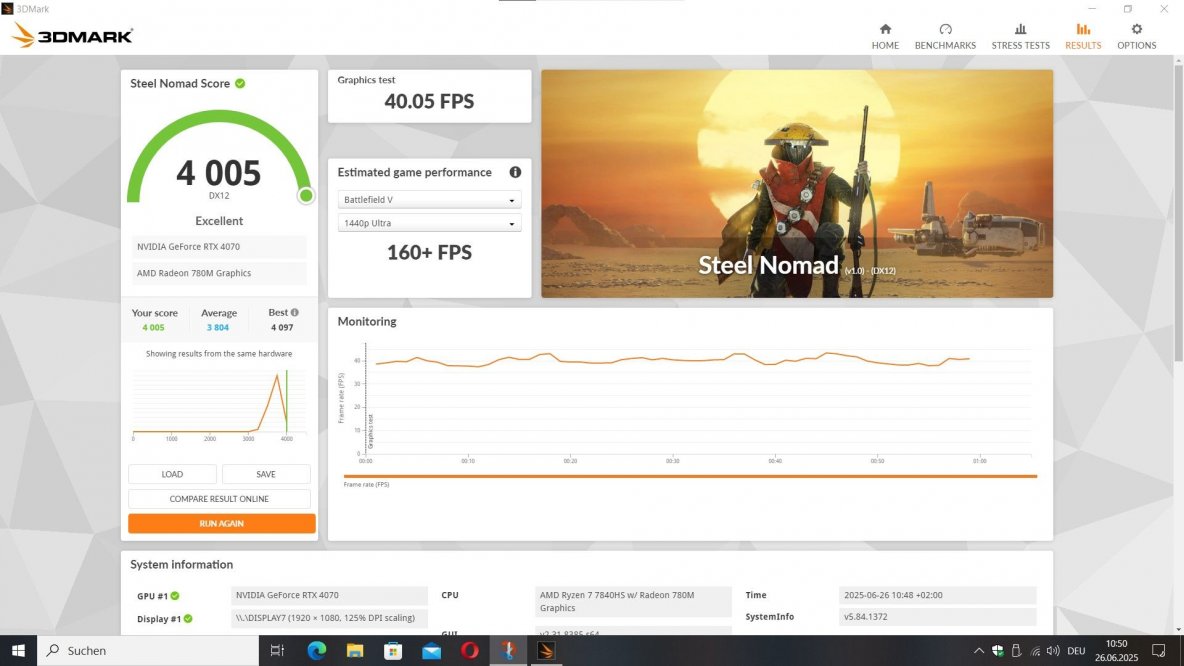
Summery: I think for EUR/USD 150~200 it's a solid, yet not perfect eGPU dock - even if you go DIY you'd probably end up in a similar price range. My major issue with this dock is that it is "always on". If they build in a power button, why not make it work like one? I really hope they will improve this in later revisions.
Pro:

The eGPU comes with everything needed, but here's the first issue: their WhatsApp account for contacting support seems to be disabled. If you have issues with your unit, you need to join their Discord or send them an eMail. Besides, the included USB4.0 / Oculink cables are very short (350mm only).
Overall build quality is good, they use a solid aluminium case with coated steel covers. The PSU is a GREAT WALL server grade 12V 800W unit, platinum rated for good efficiency. It's also easily swappable, which is a nice feature.
Installing the GPU is easy but for those not reading instruction: here's already a potential risk, frying your hardware! As soon as you plug in the mains, the PSU turns on and the dock is powered. The power button of the AG02 has no any function, the PSU is always ON and there are always 12V on the PCIe power connectors! In other words: only plug in the mains, after everything is set up and connected.
Here we can see: the power button of the AG02 is OFF but the internal PSU is running and supplying 12V to the GPU - what's also annoying: the PSU fan is always running, even if the dock is not in use. It's not loud but clearly audible.
Like I said, the cables that come with the dock, are only 35cm long - I whish they had included at least 80cm cables ...
Performance wise, I have nothing to complain - here are some benchmarks:
Aoostar GEM10 7840HS via USB4 / External Monitor:
Aoostar GEM10 7840HS via Oculink / External Monitor:
Summery: I think for EUR/USD 150~200 it's a solid, yet not perfect eGPU dock - even if you go DIY you'd probably end up in a similar price range. My major issue with this dock is that it is "always on". If they build in a power button, why not make it work like one? I really hope they will improve this in later revisions.
Pro:
- solid build quality
- good performance
- good quality 800W PSU, suitable even for high-end GPUs
- Oculink and USB4
- PSU runs rather quiet under load
- it can not be switched ON/OFF
- PSU (and PSU fan) are always ON as long as AC is connected (possible workaround: remote controlled AC socket?)
- included cables are wayyyy too short
Last edited: