Discussion Performance per litre - Round 4

SFFMunkee

Buy first, justify later?
Gold Supporter
Jul 7, 2021
1,148
1,254
i'm here to post a submission, but i agree sub 1L~ cases are OP.
(Liters^1.5)+1 might be enough to fix the issue. (then you're never dividing by a fraction).

Proposition:
(R23*TimeSpy / (Liters^1.5)+1 / 100

Examples:
petricor - (33,304*34,565 / (5^1.5)+1 / 100 = 945,090
chinevo - (12,775*2,688 / (0.251^1.5)+1 / 100 = 305,033


that aside, i set out months ago to break the PPL record with petricor's build in mind. of course, many have beaten this since - but i'm still very happy with my achievement.
i posted about this build here, and will post a full build log in coming.. months?.. as time and energy allow :)

i copied petricors hardware (MOBO, RAM, CPU, etc.) as much as possible, but fit it all into a 3.3L S4T.
(it's a 4080s not a 4090 but pretty close).

due to power and heat constraints, the result is a build that barely squeaks out over his in PPL score!


CaseS4T (Skyreach 4 Tiny) 3D Printed 2mm Thick Cover
PSUHDPlex 250W GaN
CPURyzen 9 7950x3D
GPU4080 Super
Cinebench R23 Multi-Core29,995
TimeSpy Graphics Score22,358
Round 4 PPL Score
(29,995*22,358) / (3.3^1.5) / 100
1,118,692


Oh I think I saw your build on Reddit or somewhere! Very nice! :)
 

hrh_ginsterbusch

King of Cable Management
Silver Supporter
Nov 18, 2021
960
393
wp-devil.com
Did anyone find out where that about 10 months delayed "promised" Linux version of 3D Mark is?
My guess is they're just trying to do a white-washing kind of thing, and never gonna deliver.

Apparently its possible to run it on Linux, but most sources report a reduction in performance of approx 15 - 25%.
My other option would be a VM with PCIe passthrough, eg. as described in the Arch Linux Wiki.

Edit: Third option would be to just assume there is a generic disparity of approx. 20%, when running 3D Mark using Wine / Proton, and thus present both the guestimate and the reduced score.

cu, w0lf.
 
Last edited:

REVOCCASES

Shrink Ray Wielder
REVOCCASES
Silver Supporter
Apr 2, 2020
2,237
3,651
www.revoccases.com

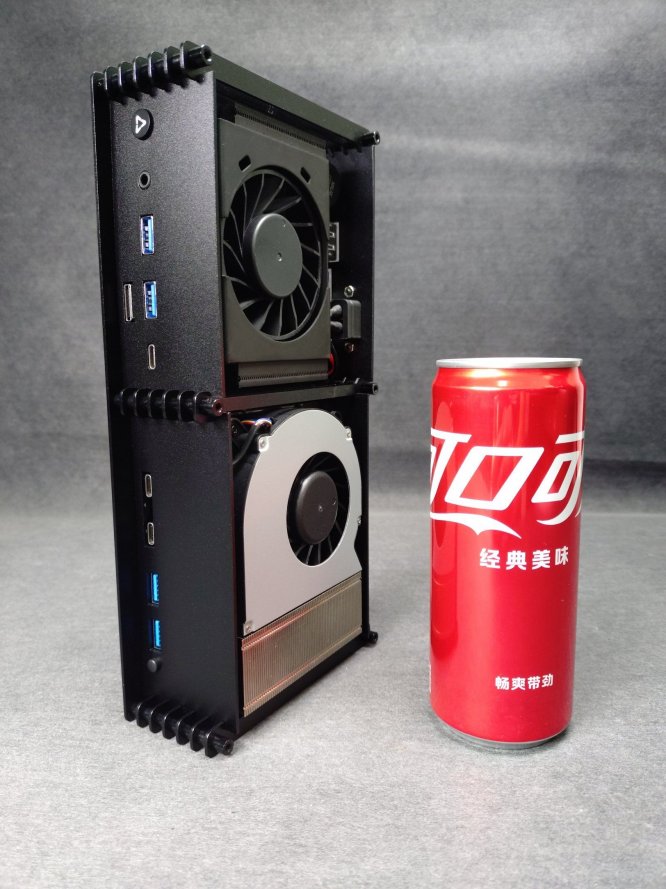
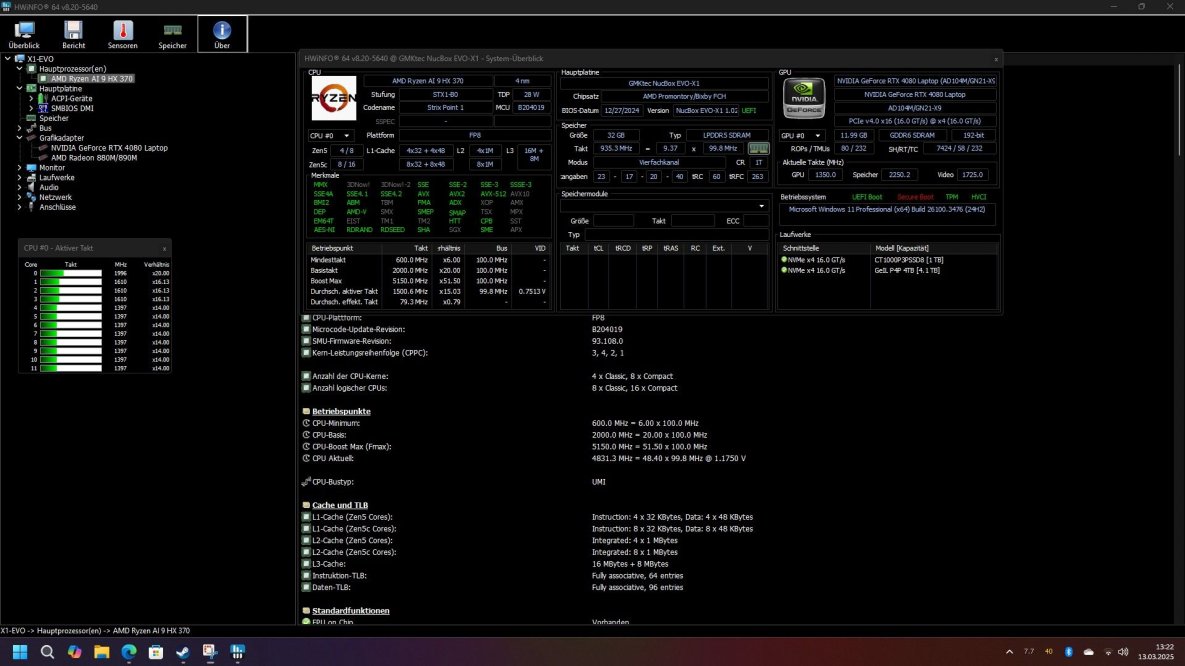
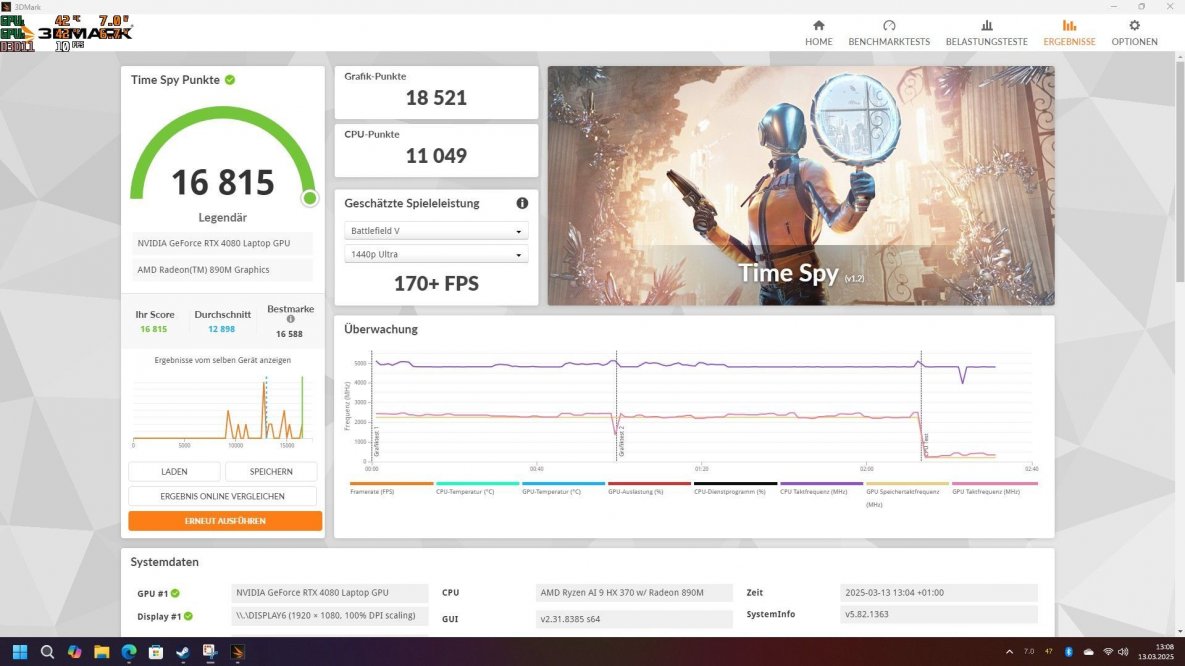
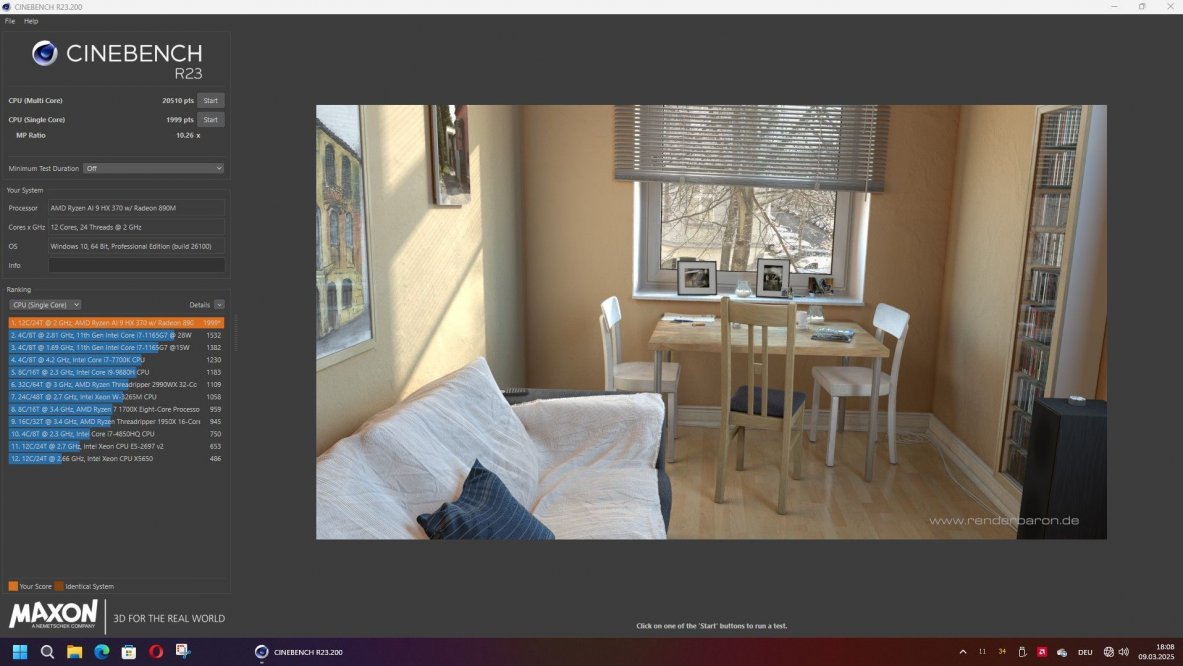
My new custom 1.6L build - Ryzen AI HX370 with RTX 4080m


20250303_112041439.JPG

Screenshot 2025-03-13 132256.jpg

Screenshot 2025-03-13 130824.jpg

Screenshot 2025-03-09 180810.jpg

PPL calculation incl. GaN Brick: ((20510 * 18521) / (1.6 + 0.25)^1.5))/100 = 1.509.636
 

nightshift

Airflow Optimizer
Jul 23, 2020
289
188
I have so questions that might seem lame.
There were some builds that featured a gpu connected with the Deskmini's motherboard via the backside M.2. Can that mobo really work like that?

And most importantly how do you power this setup? The Deskmini comes with a 120w outer brick which is just enough for an APU.
How does we get an additional 150w to power for a gpu? Also if it has a single 8pin port - what do we plug over there?
 

SFFMunkee

Buy first, justify later?
Gold Supporter
Jul 7, 2021
1,148
1,254
I have so questions that might seem lame.
There were some builds that featured a gpu connected with the Deskmini's motherboard via the backside M.2. Can that mobo really work like that?

And most importantly how do you power this setup? The Deskmini comes with a 120w outer brick which is just enough for an APU.
How does we get an additional 150w to power for a gpu? Also if it has a single 8pin port - what do we plug over there?
Hey so the M.2 is just a PCIe x4 connection, with direct-to-CPU lanes (the X300/X600 are basically 'activator' chips for the onboard SOC, not a real chipset)

The PCIe x4 signalling is passed through to a PCIe slot, on a riser that has its own power input

-- This is achieved through a riser that directly adapts an M.2 slot to a PCIe slot (like those from ADT-Link, as well as numerous clones)

The X300M-STX is able to run on 12VDC, so that makes powering a GPU and the board with the same power supply relatively simple, however the X600M-STX requires modification to work on 12VDC
You can also run the motherboard on 19-20VDC and then have an adapter to reduce that down to 12V for the GPU, or even have two separate power supplies (one for motherboard, one for riser & GPU)

The options for the actual power supply are fairly broad, but you'll want to make a decision early on whether you want internal or external, and whether you want 19V or 12V, as that will influence your design significantly.
Internal power supplies include things like Meanwell LOP series and clones

External power supplies you can use high current 12VDC (although connectors are often the problem here, as even 120W to the board means 10A on a barrel jack!) or a 19V supply and a secondary power adapter to reduce to 12V for the riser and GPU.
 

petricor

Airflow Optimizer
Bronze Supporter
May 12, 2018
353
1,883

My new custom 1.6L build - Ryzen AI HX370 with RTX 4080m


View attachment 3723

View attachment 3726

View attachment 3724

View attachment 3725

PPL calculation incl. GaN Brick: ((20510 * 18521) / (1.6 + 0.25)^1.5))/100 = 1.509.636
Very cool build.
Are the “columns” stacked standoffs? I really like the sheet metal assembly logic!
Is the CPU blowing into the GPU compartment or did you close that side of the heatsink?
 
  • Like
Reactions: REVOCCASES

REVOCCASES

Shrink Ray Wielder
REVOCCASES
Silver Supporter
Apr 2, 2020
2,237
3,651
www.revoccases.com
Very cool build.
Are the “columns” stacked standoffs? I really like the sheet metal assembly logic!
Is the CPU blowing into the GPU compartment or did you close that side of the heatsink?

Thanks 🙏

Indeed, that's anodized aluminum standoffs. I explained the design a little more detailed here:


I did put a small piece Lexan in there to prevent hot air blowing directly into the GPU fan. Works actually pretty good, both CPU and GPU are just in the high 60s during gaming.
 
  • Like
Reactions: SFFMunkee

Curiosity

It doesn't have to make sense to be fun!
Platinum Supporter
Bronze Supporter
M...M...M...M...Multi-Tier...Subscriber...
Apr 30, 2016
741
866
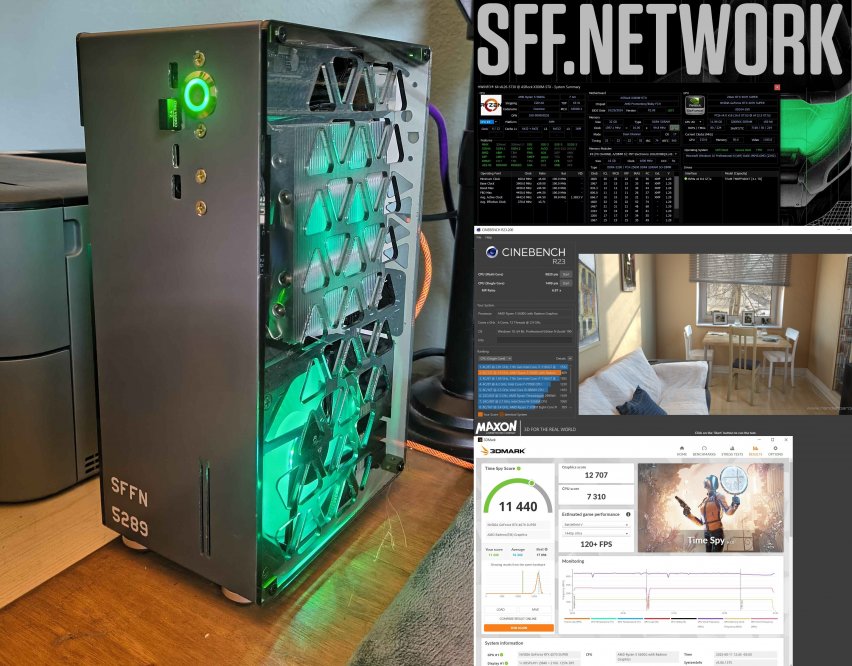
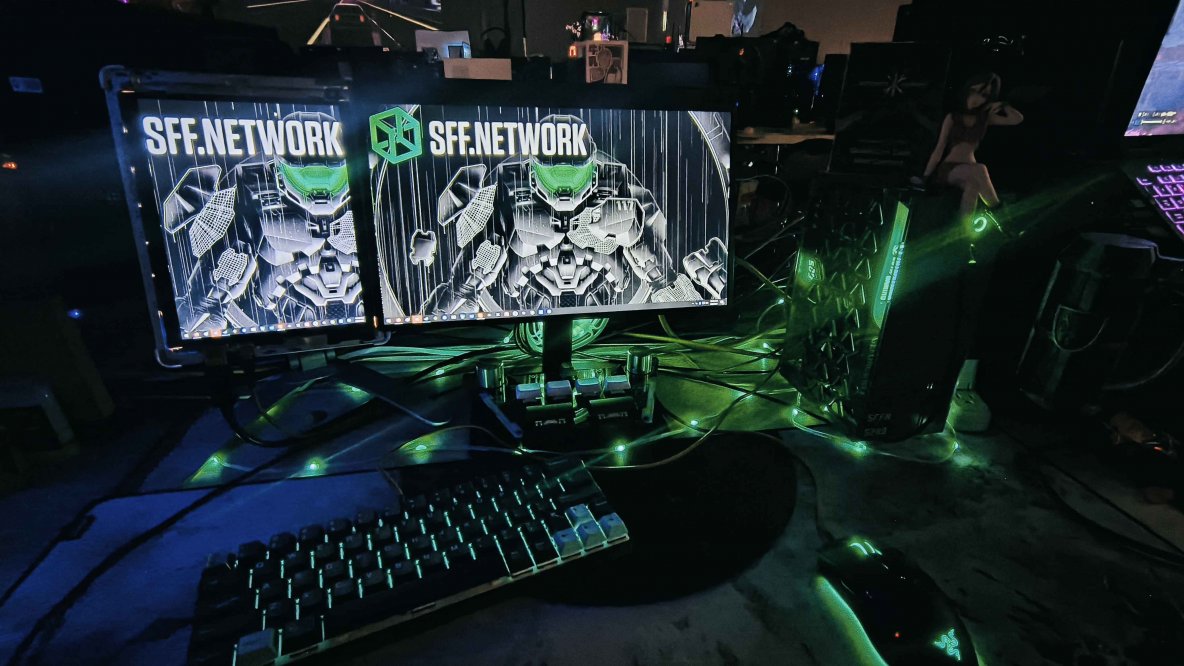
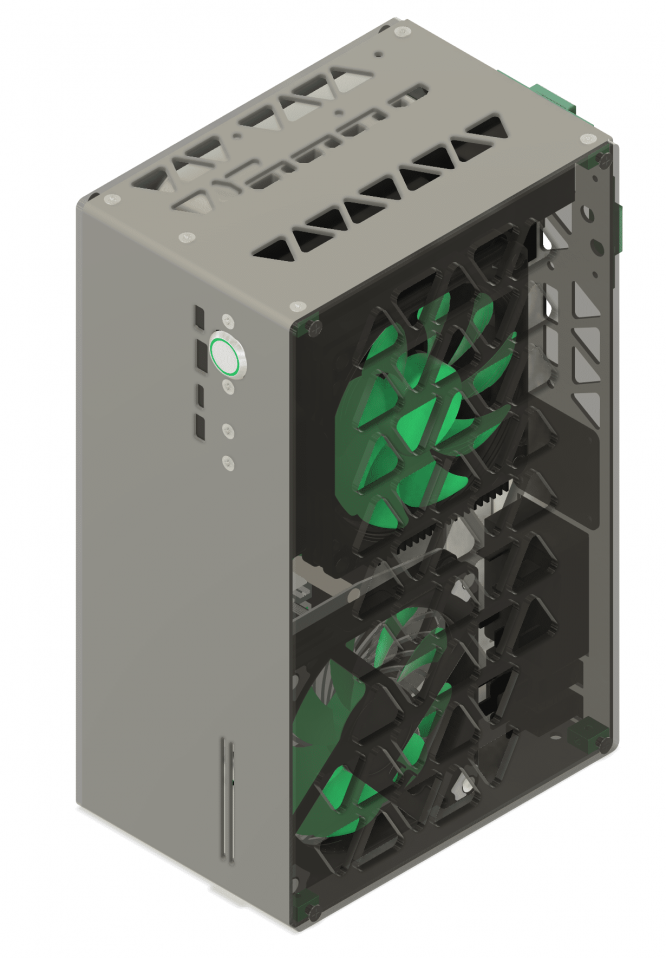
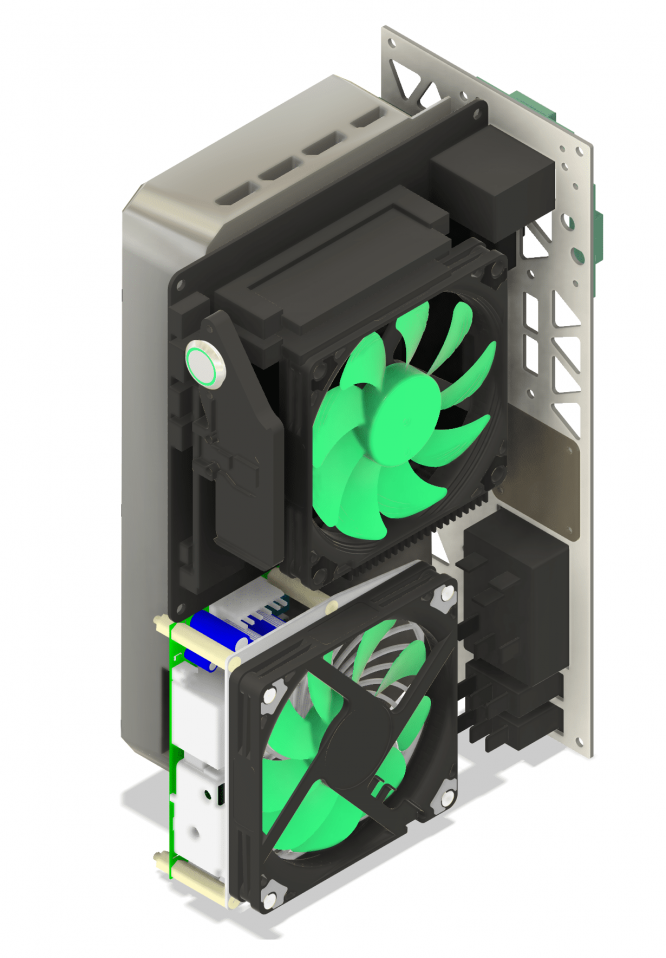
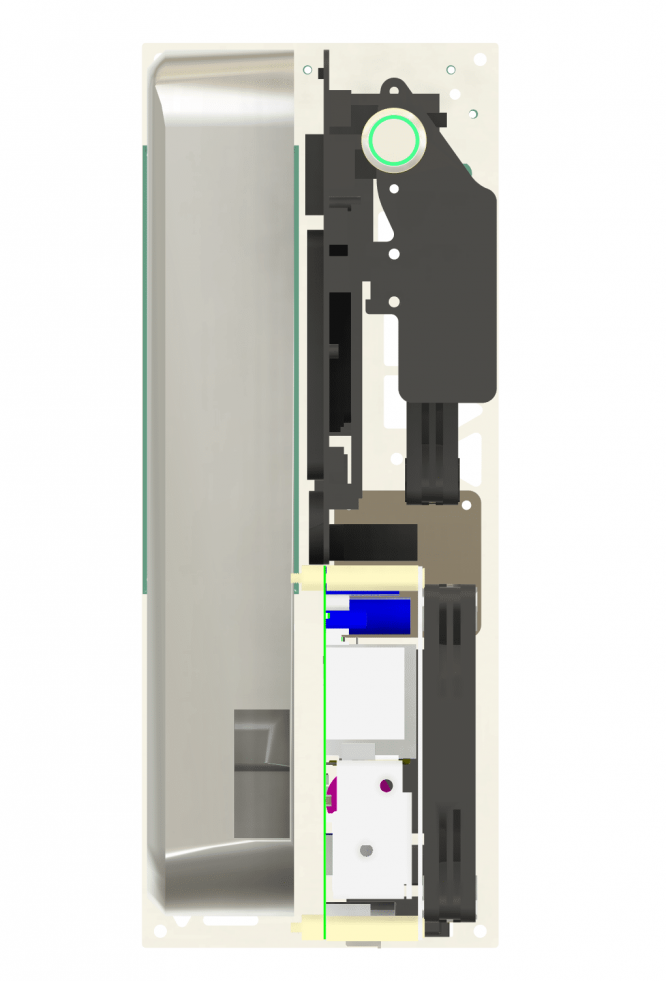
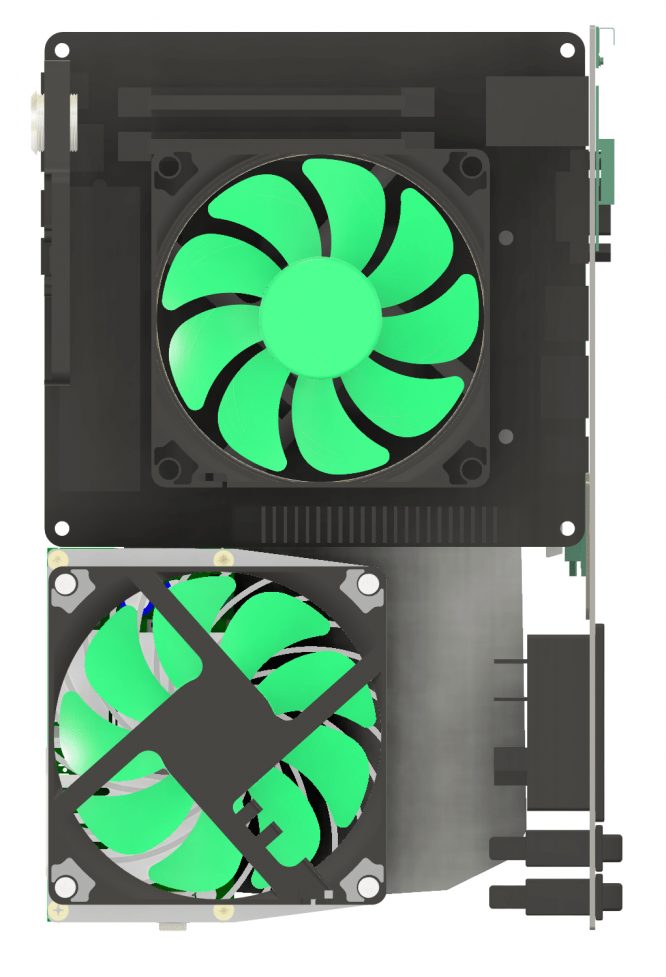
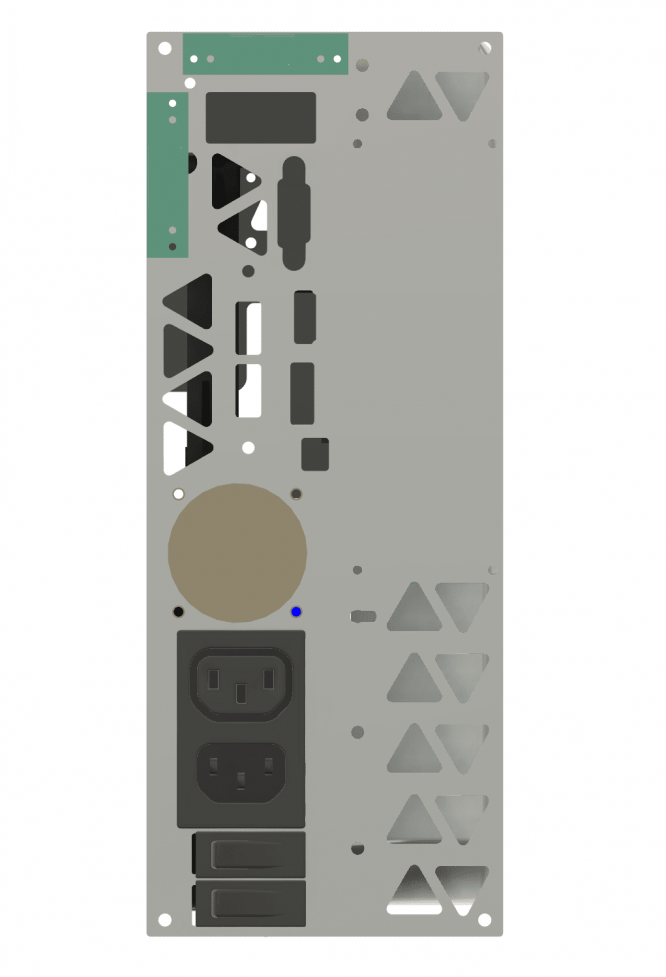
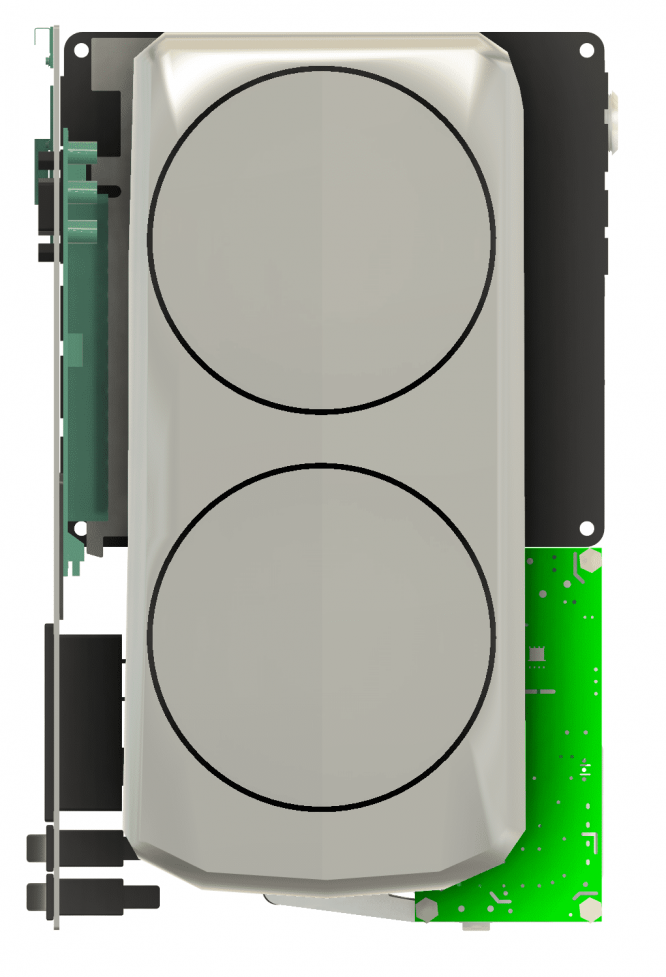
Now that my newest build is complete, I can finally PPL it!

((9820* 12707) / (3.78)^1.5))/100= .....261,188 (249,226 with feet(3.9L))
And if I connect thru the X300 DP out instead of the 4070S DP output- 169,792 (162,015 with feet(3.9L)) that's a pretty big perf hit! x.x Guess I won't be doing that anymore.

Feels super low compared to Revo's result, lol. But I'm happy with my performance overall.
I wouldn't mind swapping to an x600 and a 7800x3d or something, however. 👀

@nightshift this build is one of those rear M.2 style X300 builds. ;)


Builders Hubris.jpg
 
Last edited:

SFFMunkee

Buy first, justify later?
Gold Supporter
Jul 7, 2021
1,148
1,254
Now that my newest build is complete, I can finally PPL it!

((9820* 12707) / (3.78)^1.5))/100= .....261,188 (249,226 with feet(3.9L))
And if I connect thru the X300 DP out instead of the 4070S DP output- 169,792 (162,015 with feet(3.9L)) that's a pretty big perf hit! x.x Guess I won't be doing that anymore.

Feels super low compared to Revo's result, lol. But I'm happy with my performance overall.
I wouldn't mind swapping to an x600 and a 7800x3d or something, however. 👀

@nightshift this build is one of those rear M.2 style X300 builds. ;)


View attachment 3891
No build log? For same! :(
More pics more pics more pics more pics
 

Curiosity

It doesn't have to make sense to be fun!
Platinum Supporter
Bronze Supporter
M...M...M...M...Multi-Tier...Subscriber...
Apr 30, 2016
741
866
No build log? For same! :(
More pics more pics more pics more pics
I need to make one!
I'll get on it tomorrow, it kinda slipped my mind x.x
 

Attachments

  • IMG_20250808_004615436_HDR.jpg
    IMG_20250808_004615436_HDR.jpg
    438.5 KB · Views: 10
  • CAD ISO.png
    CAD ISO.png
    287.9 KB · Views: 14
  • CAD ISO nopanel.png
    CAD ISO nopanel.png
    334.6 KB · Views: 14
  • CAD FRONT nopanel.png
    CAD FRONT nopanel.png
    139.7 KB · Views: 13
  • CAD CPU SIDE nopanel.png
    CAD CPU SIDE nopanel.png
    228.5 KB · Views: 10
  • CAD REAR nopanel.png
    CAD REAR nopanel.png
    69.3 KB · Views: 7
  • CAD GPU SIDE nopanel.png
    CAD GPU SIDE nopanel.png
    174 KB · Views: 7

nightshift

Airflow Optimizer
Jul 23, 2020
289
188
Hey so the M.2 is just a PCIe x4 connection, with direct-to-CPU lanes (the X300/X600 are basically 'activator' chips for the onboard SOC, not a real chipset)

The PCIe x4 signalling is passed through to a PCIe slot, on a riser that has its own power input

-- This is achieved through a riser that directly adapts an M.2 slot to a PCIe slot (like those from ADT-Link, as well as numerous clones)

The X300M-STX is able to run on 12VDC, so that makes powering a GPU and the board with the same power supply relatively simple, however the X600M-STX requires modification to work on 12VDC
You can also run the motherboard on 19-20VDC and then have an adapter to reduce that down to 12V for the GPU, or even have two separate power supplies (one for motherboard, one for riser & GPU)

The options for the actual power supply are fairly broad, but you'll want to make a decision early on whether you want internal or external, and whether you want 19V or 12V, as that will influence your design significantly.
Internal power supplies include things like Meanwell LOP series and clones

External power supplies you can use high current 12VDC (although connectors are often the problem here, as even 120W to the board means 10A on a barrel jack!) or a 19V supply and a secondary power adapter to reduce to 12V for the riser and GPU.

Thank you for all the answers.
I found a good deal on the elusive b760 deskmini and happen to still have my 12400T around. I decided to get this build going and now I have a tiny APU build which I use during weekdays when I only sit down for light gaming and webbrowsing before work. I like the ports galore, the icy cold temps and actually found the UHD-730 gpu within to be suprisingly capable. I do love my Velka 3 with the 4060 within, but with the games I currently play (Balatro, Underrail, Crow Country, Dread Delusion), I haven't touched it for almost 2 month now.

But it got me thinking how awesome it would be to do a newbie friendly "Velka 1" build with this lovely STX mobo. Since the 12400T is quite low on consumption, I wonder if I can attach a gpu that's still so low in consumption that with maybe still be able to use the given 120w power brick. Or get some other model that offers 180-200w.
I found the pcie 3.0 Nvidia T1000 workstation gpu to be a great candidate. It maxes out at merely 50w, it has an 8GB version and is also about 150mm long and single slot. Seems perfect and the whole build with a 37mm cooler can even be slimmer than the original Deskmini case. Also due to the LP-nature of the card, a single SATA SSD could fit underneath to maximize the space. I have two questions though.


  • You mentioned some ADT-Link adapters - could you give me an idea M.2 to pcie adapter should I use?
  • Also, would it be possible to make it work with an internal meanwell psu? What would that involve in case of the b760 model?


Sorry to burden you with all this. Obviously this is a super long term project, mainly due to the case itself is not even designed yet, but if it would work, then I might probably learn some FreeCAD skills just for this.
 

Curiosity

It doesn't have to make sense to be fun!
Platinum Supporter
Bronze Supporter
M...M...M...M...Multi-Tier...Subscriber...
Apr 30, 2016
741
866
@nightshift
I've used ADTLINK adapters, namely the R34UR and an R34S* model, iirc.
Definitely possible, I think someone recently did something just like what you're thinking about, if you browse the builds forum.
Though I think for the B760/X600 model STX boards you need to do a resistor mod if you want to power the mobo from a 12v source.

I'll try to find the build I'm talking about and will edit a link into this post if I find it.

Found what I was thinking of, conveniently it's the fella who did the writeup about the resistor mod.